
WoWNotes
Comprehensive note-taking and collection tracking addon for World of Warcraft. Smart alerts, map pins, and powerful organization tools for the modern player.
Download from CurseForge View ChangelogKey Features
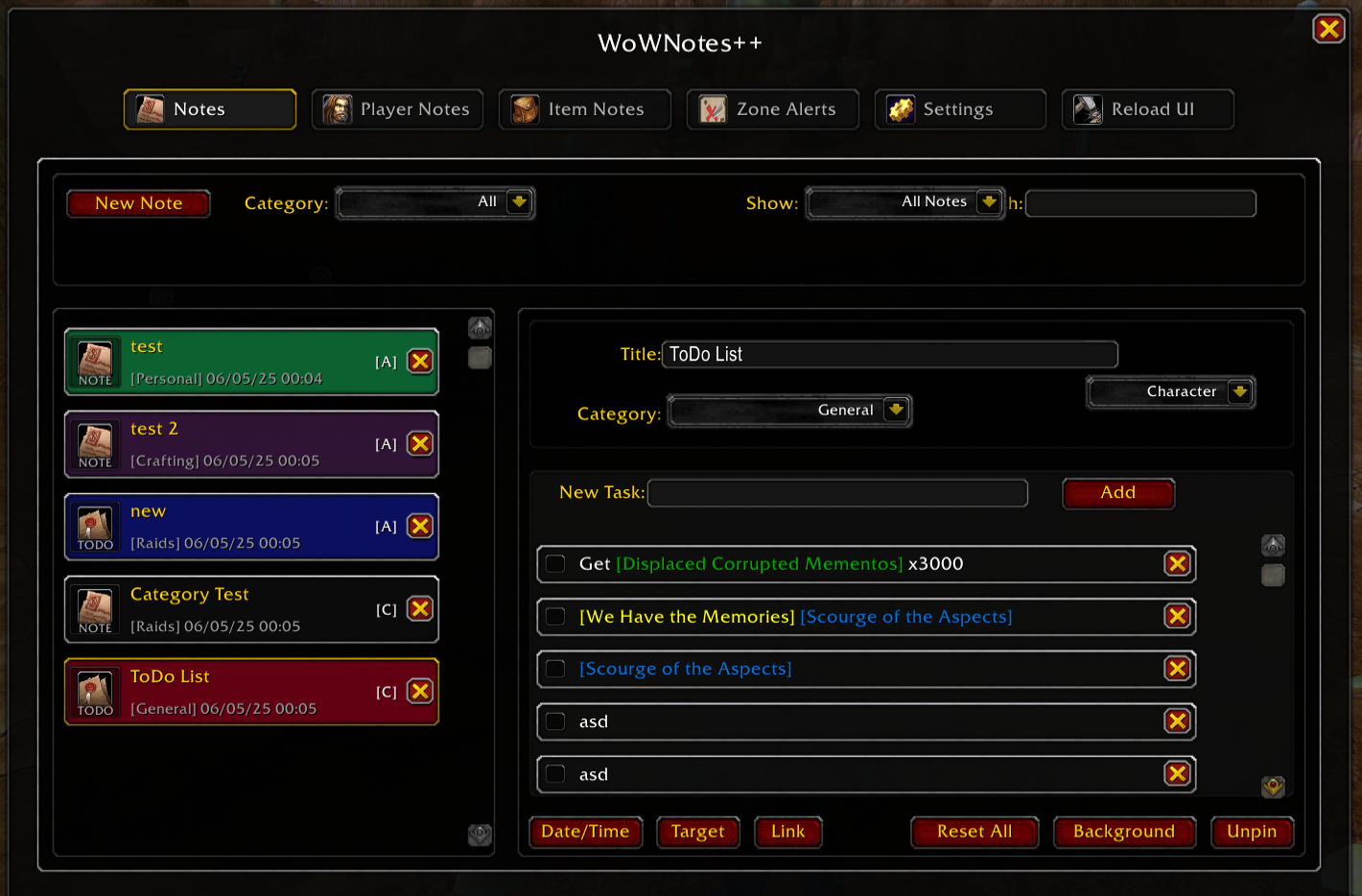
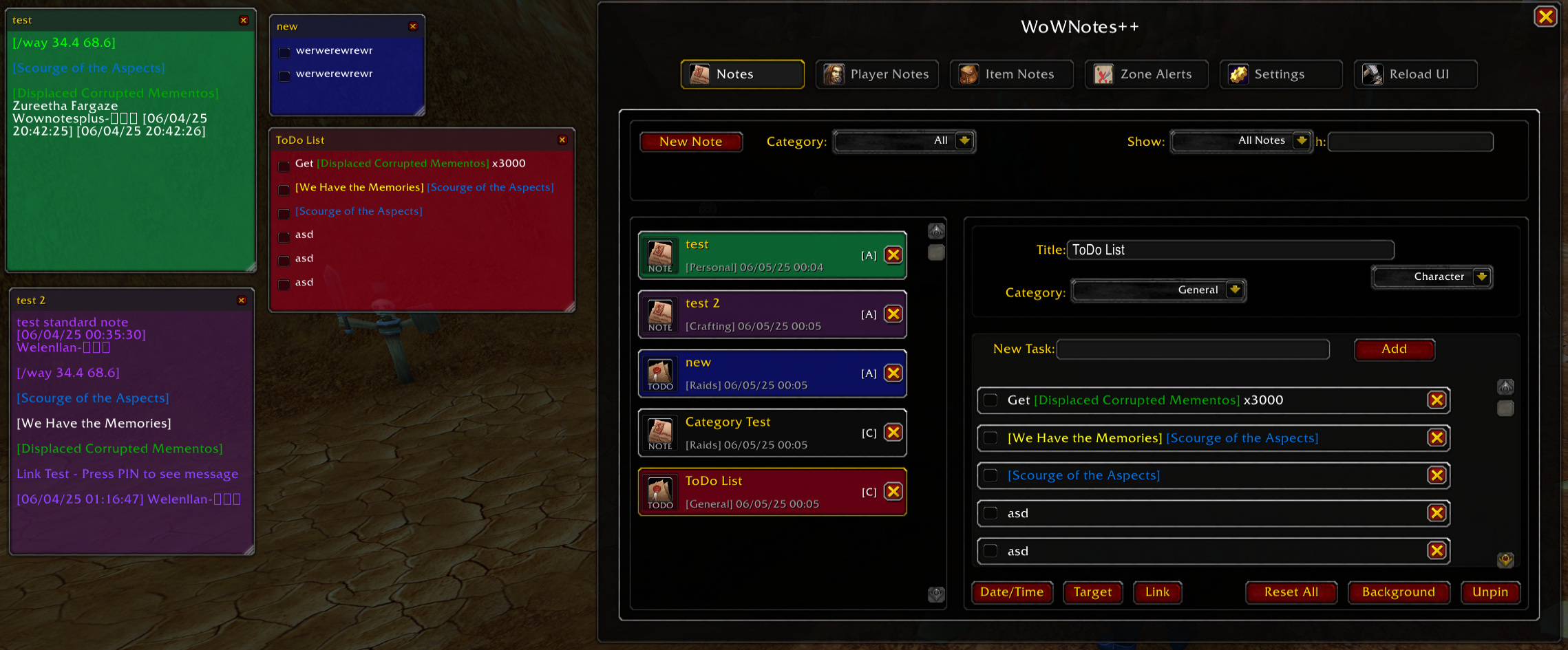
Advanced Notes
Create powerful notes with to-do lists, reminders, and smart categorization. Account-wide or character-specific, with real-time search capabilities.
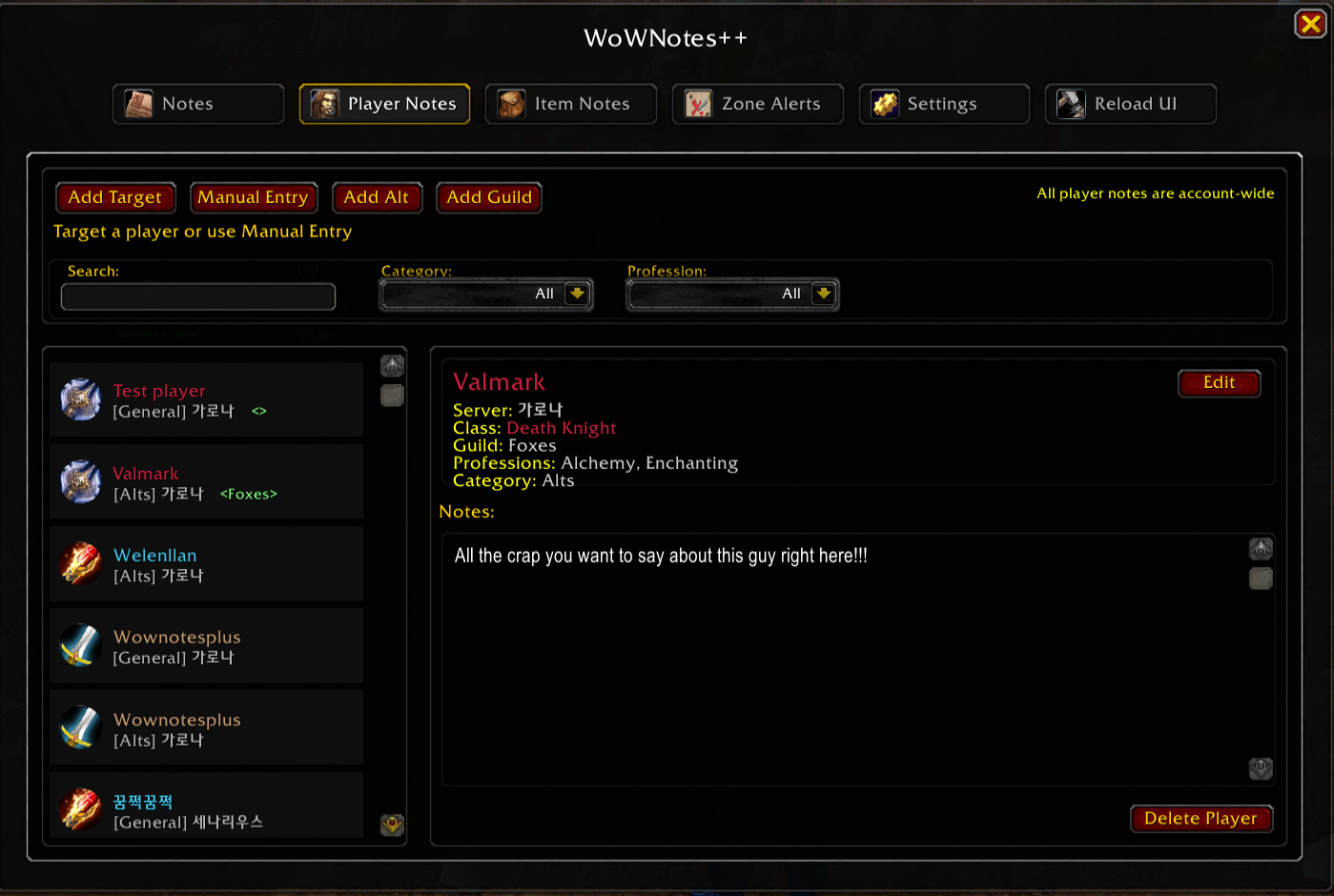
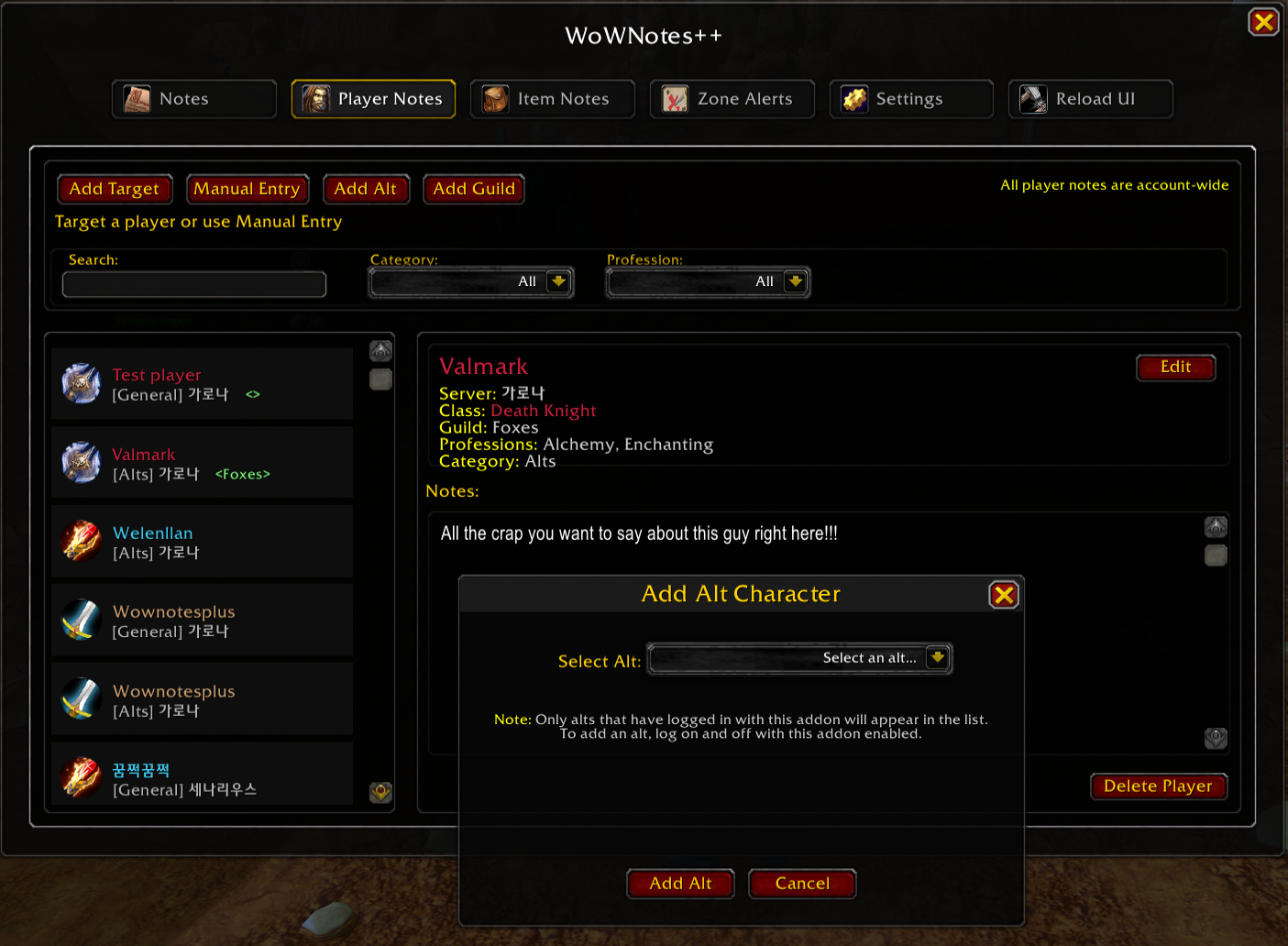
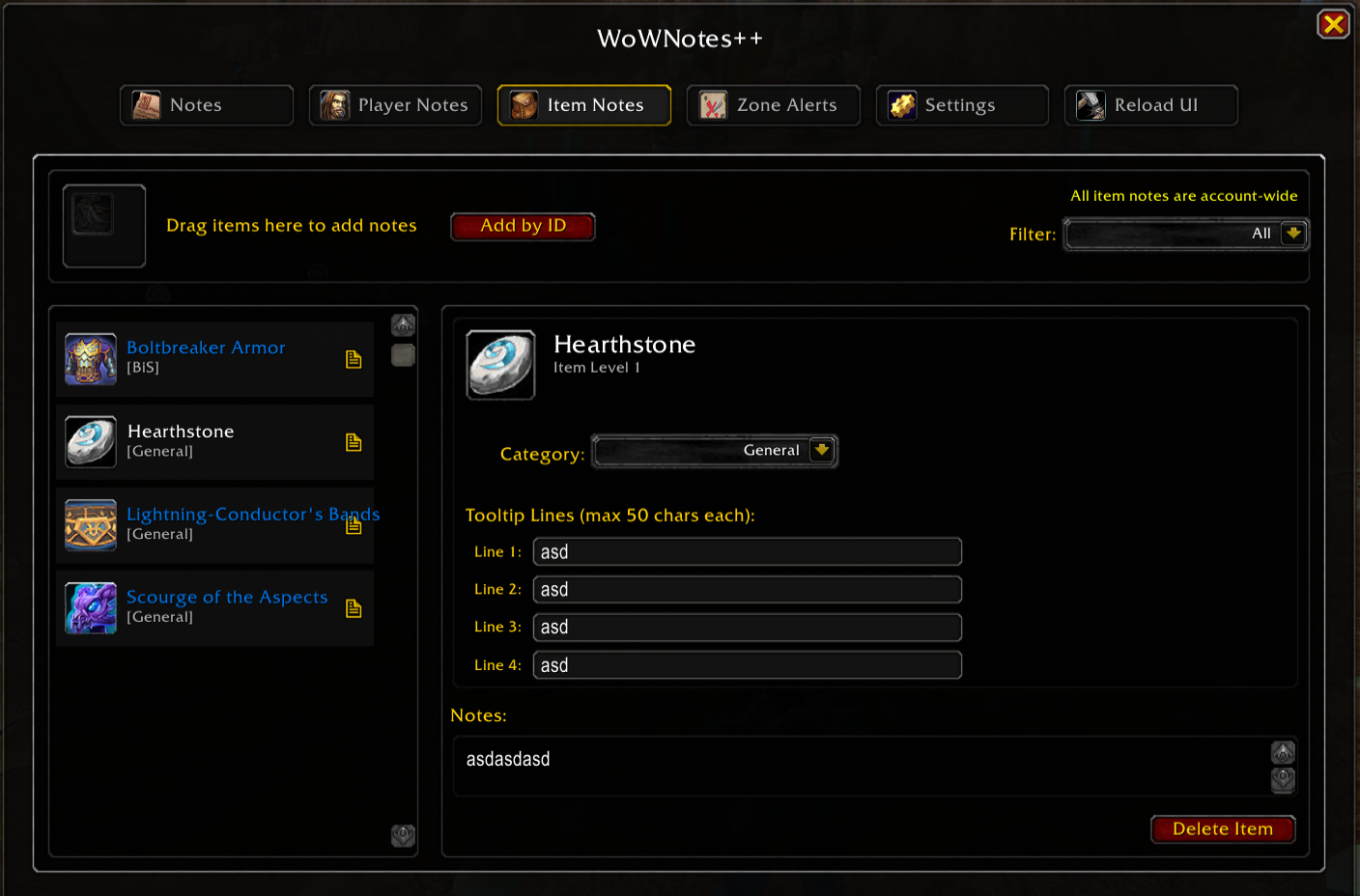
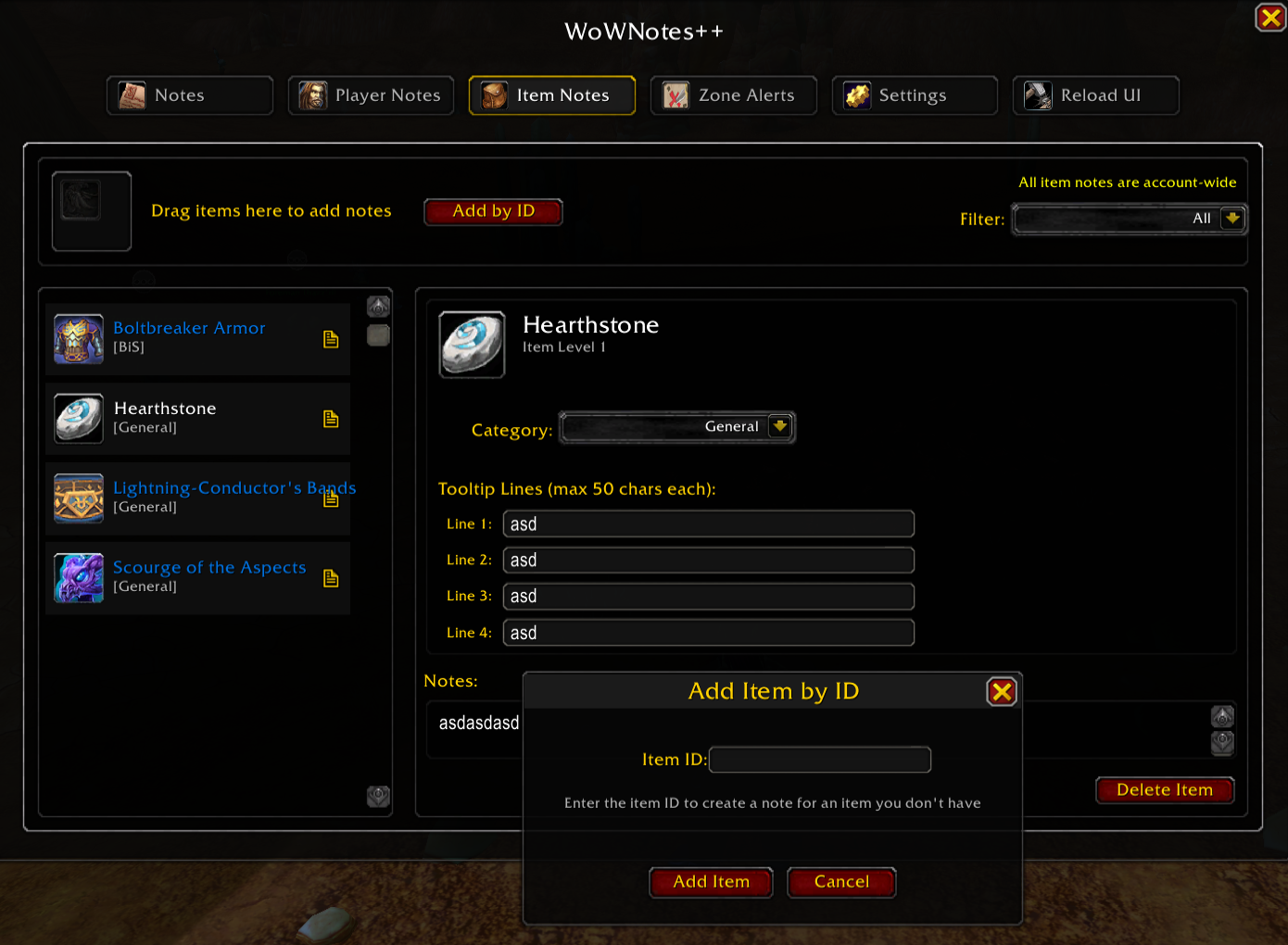
Player & Item Notes
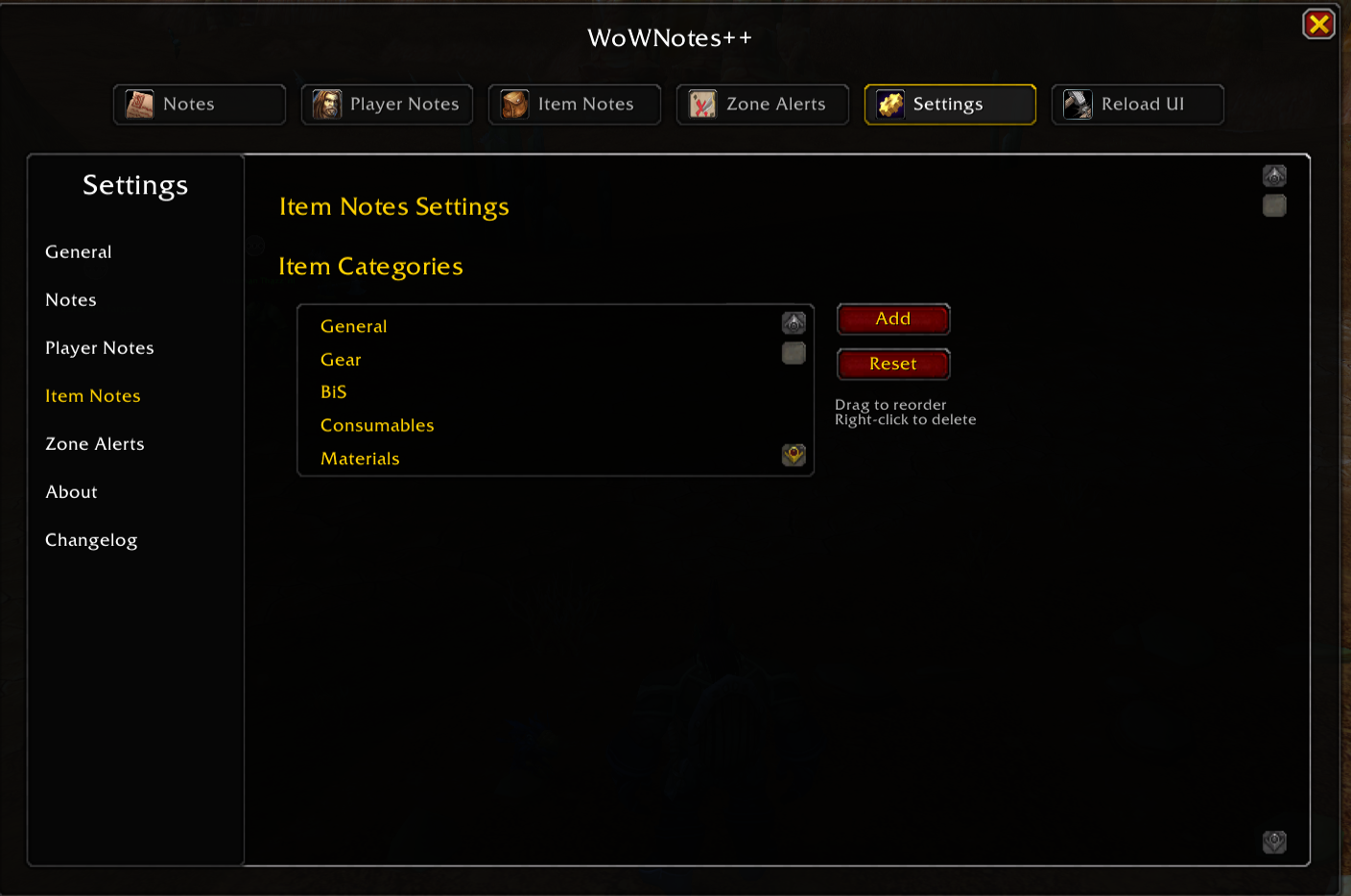
Auto-detect target information and add custom tooltip lines to items for quick reference and better organization.
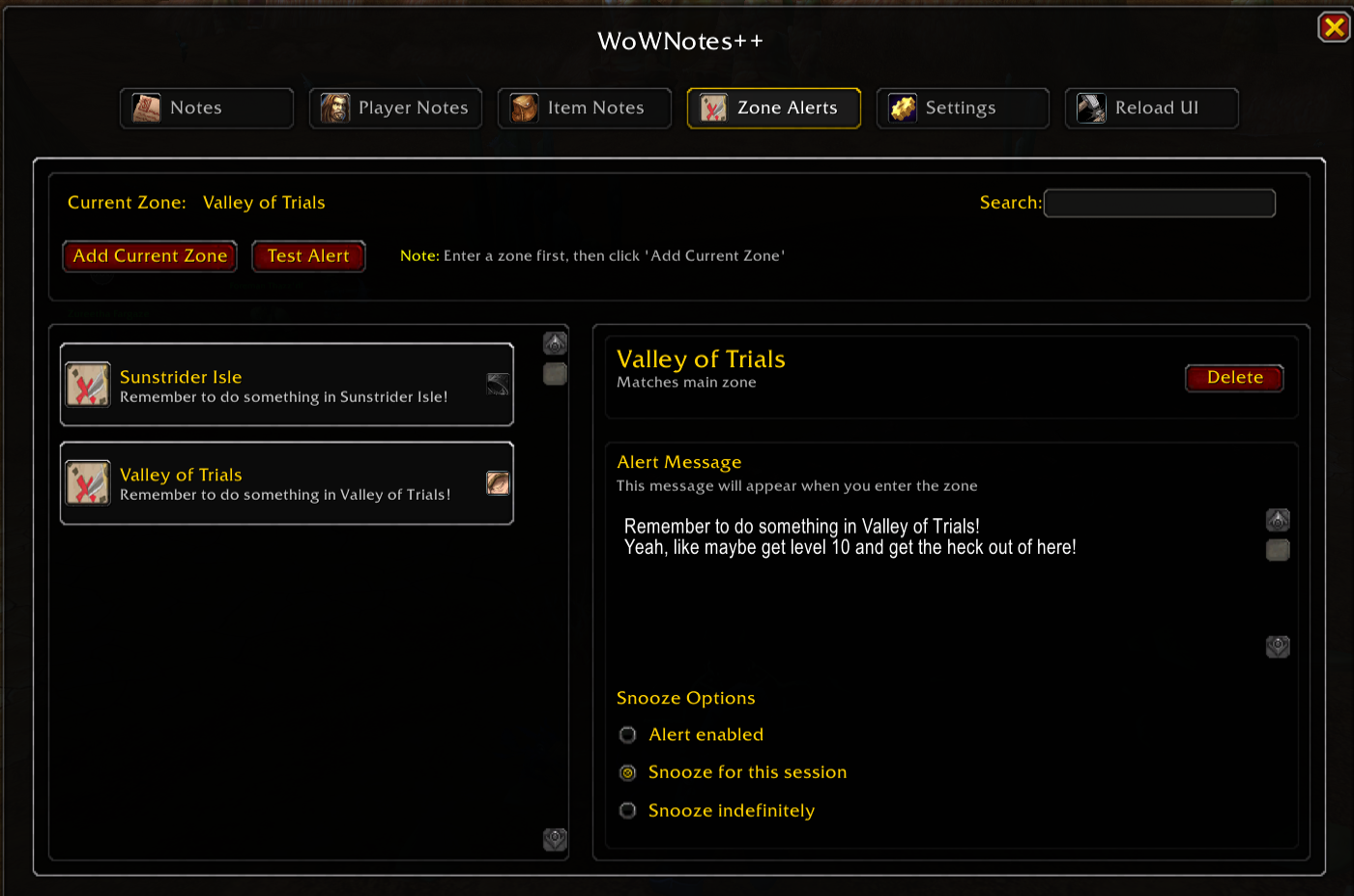
Zone Alerts
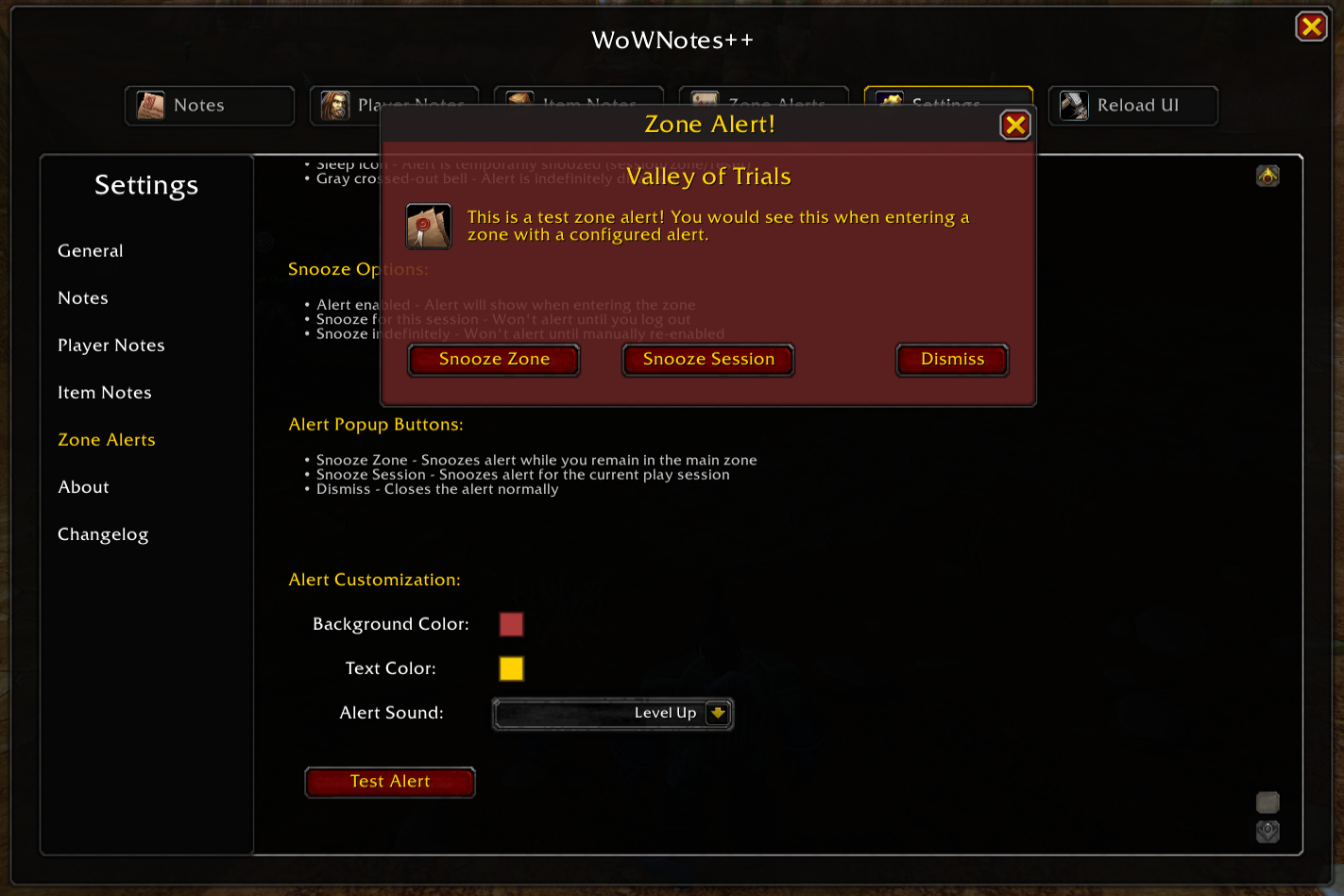
Smart zone-aware alerts notify you of missing mounts, pets, toys, and achievements when entering zones with collectibles.
Map Pins
Persistent world map pins with custom icons, categories, and pin-to-pin routing for marking important locations.
Collection Integration
Seamlessly integrates with mount, pet, and toy collections with detailed progress tracking and zone-specific missing items display.
Hybrid UI
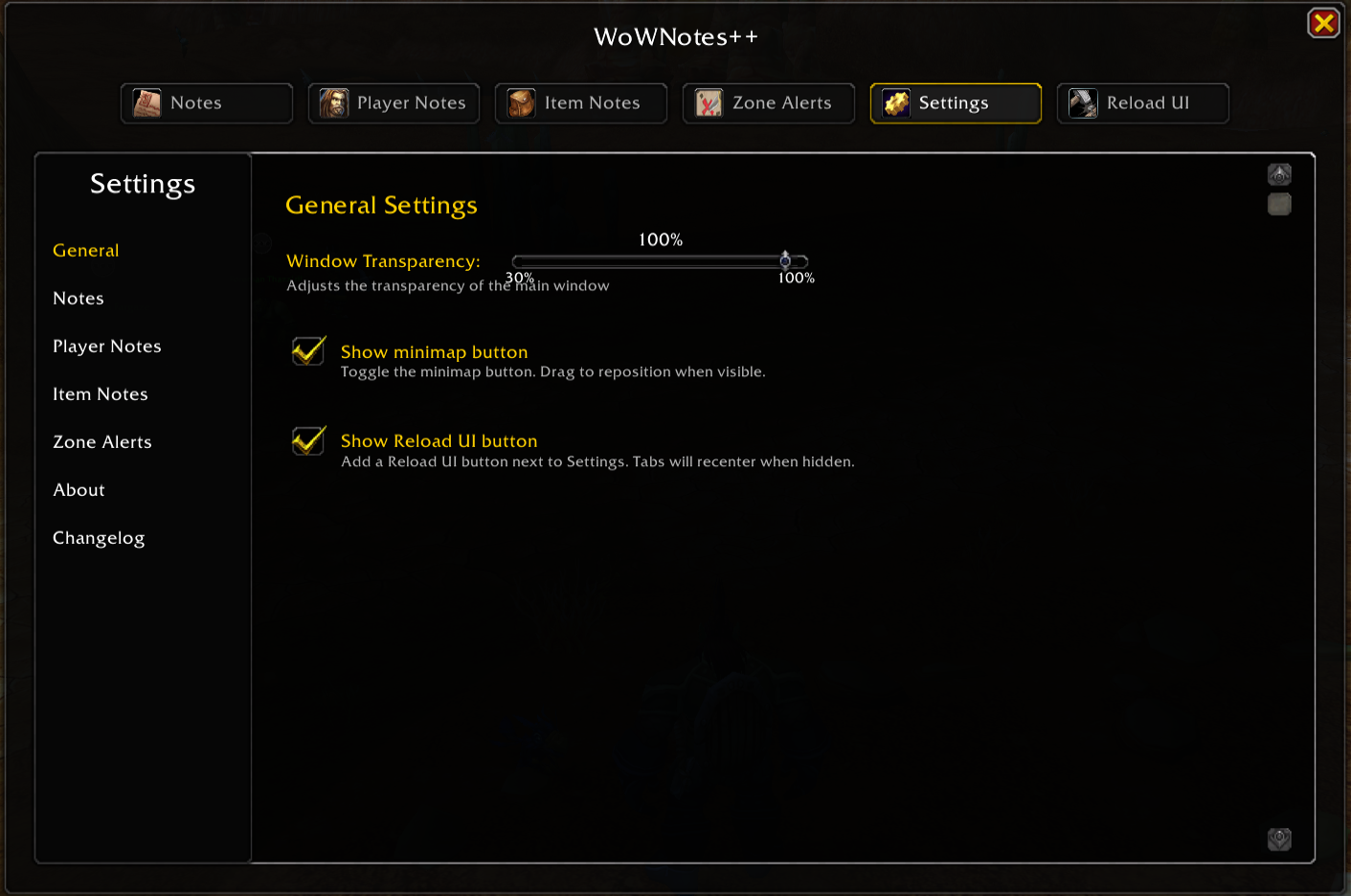
Built with AceAddon-3.0 backend and Blizzard UI framework. Features sidebar navigation, drag-and-drop, and fully configurable interface.
Changelog
- Secret Value Error Suppression for Midnight prepatch Lua errors
- Timerunning dungeons and scenarios support
- Engineering portals (wormholes, dimensional rippers, ultrasafe transporters) now show in ESC menu
- Random Hearthstone button reliability using proper toy/item attributes
- Add New Note dialog showing stale note data
- Note title editor now saves when clicking away
- Detailed restore failure reasons for Action Bars
- Secret Number to item tooltips (Blizzard internal IDs)
- Vendor highlighting for unknown collectibles (recipes, toys, mounts, pets, transmog)
- Overlay icons for unknown collectibles in bags and bank
- Alert sound when looting unknown collectibles
- Toast notifications for unknown collectibles
- Recipe detection using tooltip scanning
- Recipe Knowledge tooltip settings not saving
- Recipe tooltips now show which alts know/don't know recipes
- Recipe status colors (Known=Green, Unknown=Red)
- Item level inflation after Midnight squish
- Expansion version tracking (auto-invalidates outdated equipment)
- Tooltip item level comparison format (This/Equip/Diff)
- Cursor Enhancer manual profile management
- Three-ring cursor system (Outer, Middle, Center)
- Color pickers for all cursor ring elements
- Separate opacity controls (in-combat vs out-of-combat)
- Mouse trail effect with customizable length and color
- Center marker types (Dot, Star, Cross, Diamond, Ring)
- Cursor Enhancer Midnight 12.0+ compatibility
- DE locale file with correct data
- Automatic button resizing for multi-language support (all languages)
- Button text overflow in Notes, Catalog, Settings, Alt Setup
- Complete locale translations (English, French, German, Korean, Russian)
- 850+ new localization strings to all language files
- Converted 859+ English strings to locale system
- Missing TOAST strings (deDE)
- Missing/untranslated strings in Korean TOOLTIP/VALIDATION/VENDOR
- All 1,807+ UI strings fully translated in all languages
- Custom Sell Junk button replacing Blizzard default
- Show Blizzard Junk option (disabled by default)
- Shift+Click sell for individual junk items
- Vendor sell/destroy counts exclude protected items
- Mark as Junk keybind toggle
- Mark as Protected keybind toggle
- Profession panel recipe counts showing 0
- Profession panel reads from WoWNotesData_Professions
- First Craft pending indicators in profession details
- Mobile Telemancy Beacon to Portals (Special Items)
- Suppression for UIWidgetManager and LayoutFrame secret errors
- Junk/Protected keybind chat notifications
- Junk/Protected marking instantly updates bag overlays
- Vendor panel refreshes immediately when marking items
- WoWNotesBags updates instantly with keybinds
- Marking Protected as Junk removes Protected status
- Overlay icons appear instantly without delay
- Pinned notes now persist across sessions
- Pinned notes auto-reopen on login
- Hide when tasks complete option for daily/weekly notes
- Always show on login if tasks remain option
- Zone pins 30-minute cooldown after closing
- Hyperlink help button enlarged and moved to control panel
- Catalog requirement notice for non-Catalog users
- Standalone basic professions database
- Language selector displays native language forms
- Shopping List button in Item Notes tab
- Tooltips not showing after Blizzard update
- ESC menu portals with secret value workaround
- Right-click Add to Favorites on portal entries
- Profession portals visibility after Blizzard changes
- Coordinates hide during Pet Battles
- /wn command not working
- ALT Setup error loading
- Staggered load times reduced (2-8s to 2-5s)
- Database Manager detecting all WoWNotes addons
- Clear SavedVariables for individual or all addons
- Multiple confirmation prompts for DB clearing
- Profile system moved to dedicated tab
- Backup & Restore complete redesign
- Profiles support WoWNotes settings, Keybinds, WoW game settings
- Auto-apply profiles during Alt Setup
- Shopping List moved to standalone addon
- OneBag unified replacement for WoWBags
- AutoOpen after login lag optimizations
- Icon size slider in OneBag settings
- Side panel for bag selection
- Redesigned list view and category view
- Third view: BagView (Backpack, Bags 1-4, Reagent, Empty slots)
- BagBar updated to match OneBag system
- Auto-open list expanded to 1300+ items
- Shows unknown recipes, pets, toys, transmogs
- Overlays rewritten using Blizzard native system
- User-controlled Enchant, Gem, Enchant+Gem overlays
- Overlay priority sorting with bypass option
- Default scale 1.5, centered at 100%
- AFK lag issues
- AFK ends when ANY key pressed
- Navigation Arrow accepts /way points
- Toast clicking navigates to target or opens note
- Toast auto-adds map pin
- Vendor filters by item type
- Shopping List duplicates consolidate into single count
- Increase required quantity in Shopping List
- Craftable items identified with CRAFT button
- CRAFT creates sub-list with materials
- Right-click items to send to another list
- Search includes all alts, banks, warbands, guild banks
- Alt login updates ONLY that alt (optimization)
- Database cleanup - claimed mail removed
- Merged duplicate bag data (AltTracker + ItemTracker)
- Professions database consolidated
- DB size reduced: 40 chars 25MB → 1.6MB
- Professions moved to WoWNotesData_Professions module
- Send recipes to Shopping List
- See who knows what recipes
- Duplicate vendor entries
- Item Search category
- Instance collections and filters
- Housing indicators
- Toys and flyouts restore correctly in ActionBars
- AltTracker summary fixes
- Character Data Panel (ilvl, enchants, gems, durability)
- Difficulty filter to LFG panel
- WoWNotes 5.0 - Complete ground-up rewrite
- Brand new Notes system (Players, NPCs, Zones, Items)
- Pinned windows with full customization
- Weekly and daily resetting task lists
- Tooltip integration everywhere
- Alt Tracker overhaul with clean expandable rows
- Keys, Vault, M+ rating, raid progress tracking
- Currency tracking across characters
- Attention flags for characters needing work
- Catalog system - search items across entire account
- Shows where items drop, who sells them, who has them
- Recipe and profession awareness
- Vendor database builds as you play
- Shopping List with multiple lists
- Account-wide search in Shopping List
- Tooltip and overlay integration for Shopping List
- Import lists from plain text or Base64
- Alerts for loot, vendors, and AH
- One Bag system (WoWBag)
- BagBar for openable items
- Auto Open with safety rules
- Overlays: junk, upgrades, mounts, pets, recipes, housing
- Fully customizable Toasts, alerts, and sounds
- Loot alerts for mounts, pets, housing, recipes
- Instance drops show collection status
- Navigation Arrow system (disabled by default)
- Portal Hub in ESC menu with 200+ portals
- Instance info panel while inside dungeons/raids
- Auto repair, Auto delete, FastForward cinematic skip
- Copy anything or full tooltips
- Coordinates display
- Direct Deposit banking
- Mail and Auction tracking
- Action bar backup and restore
- Error when closing addon [X] while in combat
- WoWBags Category View
- ALL ALTS view (shows items from all alts)
- AltView Category mode with item categories
- Custom categories: Pets, Mounts, Recipes, Housing
- ActionBars - clicking alt name loads first spec
- UI conversion to Blizzard frames
- Vendor ilvl scaling for older items
- X close button on Vendor panel
- Disable option in Vendor settings
- Reduced Vendor panel size
- Sell options moved to own area
- Better timing when adding new alts (reduces Unknown)
- M+ Rating, Best Time, Highest Key, Run Count, Keystone detection
- Vault progress, color coding, tooltips
- Removed duplicate data collection, added auto-refresh
- DirectDeposit auto deposit/withdraw gold to Warband Bank
- All ToDos visible without scrolling in Notes
- Resize/move lag in Zone Windows
- Reduced spacing between items
- Action Bars expanded to 180 slots (was 120)
- Pet bar support in Action Bars
- Per-character/spec sets in Action Bars
- Search bar in Action Bars
- Lockout tooltip
- Bag ilvl overlays
- Loot alerts last longer, larger, faction-colored
- Toast Zone alerts open Zone Note
- Item Notes explains Caged Pets, text color bug
- Item upgrades show proper paths
- Mark As Complete renamed Skip/Bypass with tooltip
- ActionBar backup/restore
- Removed Toast dropdown position selector
- Movable/lockable alert box (Shift+Lock, Ctrl+Hide)
- Alerts feed from bottom if too low
Screenshots
Installation
- Download the latest version from CurseForge
- Extract the addon folder to
World of Warcraft/_retail_/Interface/AddOns/ - Launch or reload WoW with
/reload - Configure via AddOns menu or type
/wownotesin chat - Begin using WoWNotes in-game